

Pappibri
Well-Known Member
- Messages
- 1,611
- Location
- Cohoctah, MI
Installing a brushguard is relatively easy.. First off, check your brushguards mouting plate and see if it has the holes or is slotted. If it is slotted, you will not need to remove the D Ring bracket bolts all the way. If it has holes, you must completely remove the bolts...
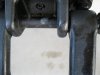
First remove the D Ring from the Bracket...*** Be careful that when you pull the bolt out, observe where the little ring resides, and make sure it goes back to the correct position so your D Ring can swivel.. See Pic Be sure to put that ring back into position when reinstalling..**** And before trying to remove any nut, bolt, or screw generously spray with some PB Blaster to help loosen them up prior to removal.
Second, remove the hex screw and keep for future use if you remove the brushguard, its only use was assembly line use.... And for those of you with the 06 H3, those Hex Screws are on the inside of the bumper... Next dependant upon your Brushguard remove or loosen the mounting bolts... My Brushguard had the mounting holes so I had to remove the bolts completely.. For those of you with the slotted mounting bracket just loosen enough for the brushguard to go between the D Ring Bracket and the body... Remember if you have the pads with your brushguard, make sure you put them between the brushguards mounting bracket and the body..
Third once you get your brushguard on, before tightening the mouting bolts make sure you have it aligned correctly on each side. In my case I lifted up on one side, snugged it down, then I did the same on the other side.. Once you have it where you want it, tighten bolts slowly going back and forth until they are tight..
Next, remember as you are putting your D Rings back on, to make sure that little ring goes back into its proper position.. See pic above... If you use Anti Seize, when you need to remove the bolts they will be alot easier to loosen.. Depending on how easy you want your D Ring to swivel, snug the bolt check it and then tighten only as tight as you want your D Ring to Swivel... Do not Overtighten.... Before
 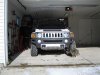 After
After 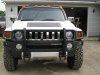 Well I hope this helps someone, and I hope that I did not ramble on or forget something.. Peace out...
First remove the D Ring from the Bracket...*** Be careful that when you pull the bolt out, observe where the little ring resides, and make sure it goes back to the correct position so your D Ring can swivel.. See Pic
Be sure to put that ring back into position when reinstalling..**** And before trying to remove any nut, bolt, or screw generously spray with some PB Blaster to help loosen them up prior to removal.Second, remove the hex screw and keep for future use if you remove the brushguard, its only use was assembly line use.... And for those of you with the 06 H3, those Hex Screws are on the inside of the bumper... Next dependant upon your Brushguard remove or loosen the mounting bolts... My Brushguard had the mounting holes so I had to remove the bolts completely.. For those of you with the slotted mounting bracket just loosen enough for the brushguard to go between the D Ring Bracket and the body...
Remember if you have the pads with your brushguard, make sure you put them between the brushguards mounting bracket and the body..Third once you get your brushguard on, before tightening the mouting bolts make sure you have it aligned correctly on each side. In my case I lifted up on one side, snugged it down, then I did the same on the other side.. Once you have it where you want it, tighten bolts slowly going back and forth until they are tight..
Next, remember as you are putting your D Rings back on, to make sure that little ring goes back into its proper position.. See pic above... If you use Anti Seize, when you need to remove the bolts they will be alot easier to loosen..
Depending on how easy you want your D Ring to swivel, snug the bolt check it and then tighten only as tight as you want your D Ring to Swivel... Do not Overtighten.... Before After Well I hope this helps someone, and I hope that I did not ramble on or forget something.. Peace out...Attachments
Last edited:


