• Welcome to H4O! For a reduced ad experience, please login or register with the forum.

Any idea how to wire up a back up camera?

Ghostbuster

Well-Known Member
Messages
862
Location
United States
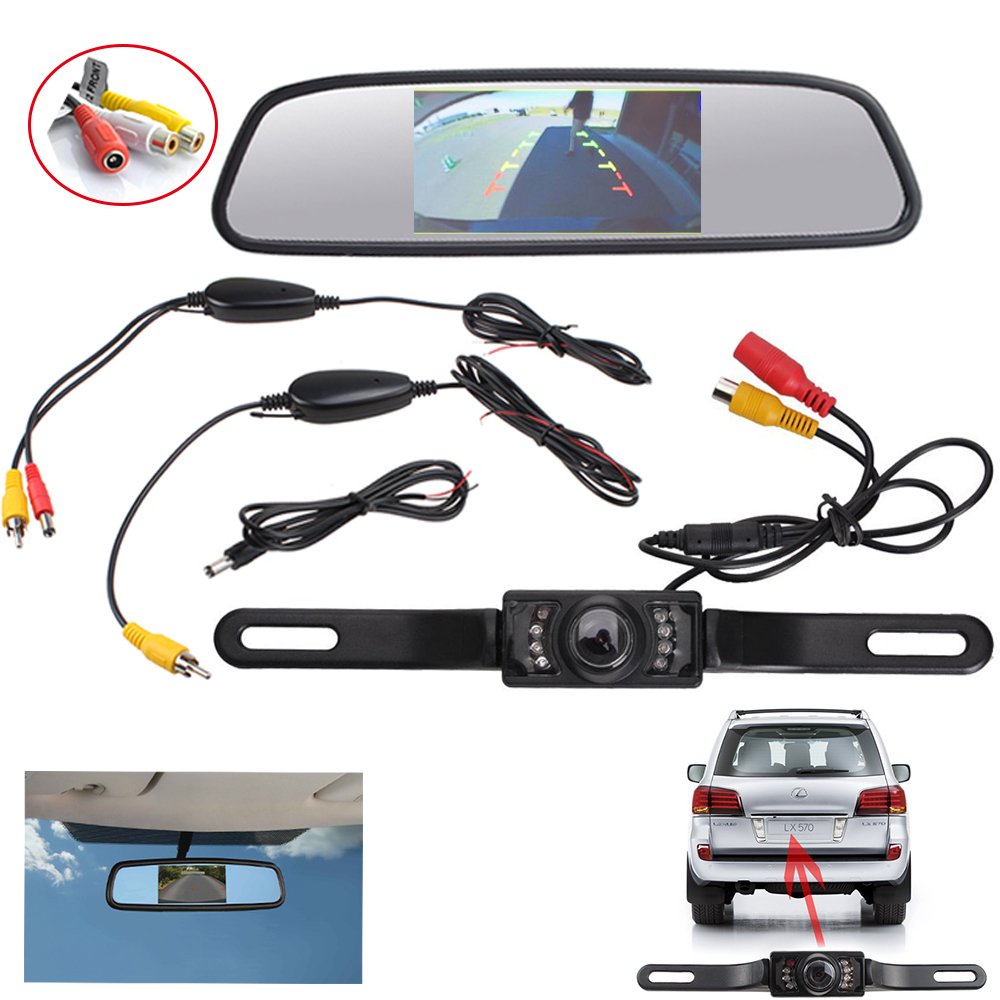
My new headunit will be here tonight and I was going to try to start on routing the wires for the backup camera that I got off Amazon.

After looking at my H3, I have no clue how to run the wires from the bumper to the headunit.

Please help. If I can't figure this out I'm just gonna return this camera, and do without a nice feature and one of the reasons why I bought this headunit.
 

SuperBuickGuy

Well-Known Member
Messages
3,403
Location
Woodinville, WA
you need to figure it out.... I ran the wire for my wife's backup camera in her JK, but for the life of me I cannot figure out why I get a black screen... I know my first mistake was to follow the directions...
 
Messages
1,248
Location
New Jersey
I believe you should have a video wire from the camera that goes to the head unit, and the trigger wire I believe connects to one of your reverse lights bulb connection, on one of your rear lights. As far as running it, remove the molding on either the passenger or drivers side front and rear door frame bottoms, and the in between internal body moldings as well, then run the cables necessary, when you get to the back, you most likely have to run the wire up the side and then at the top inside to where the rubber boot that protects/covers the wires that run to the back door is reached, pull the boot loose and snake the wire through the boot (you will also have to remove the rear door inside panel/molding and then snake the wire so it reaches where the plate internal screws/bolts/nuts are located on, then drill the hole small enough to just get the wire out near the license plate area, preferable behind the license plate (so needless to say you have to remove the license plate off the truck to drill the hole! (***warning, if the camera does not have removable rear wires connection, you will have to follow these instructions in reverse!, as the drilled hole in the back plate area will have to be drilled first, then snake your wires through and follow my directions in reverse order!!!) I suggest using waterproof silicone in the back area where you drilled the hole by the license plate area! As that will protect water from coming into the back door of your truck, and I also suggest that if possible, add an inline fuse at the reverse light connection area, so you protect your camera and radio!
 
Messages
1,248
Location
New Jersey
Oh an to figure out the correct connection wire you have to tap into to figure out which is the reverse bulb wire, you should have a friend step on the brake pedal in the truck, as you use the light up tester (connected to ground) and touch the wire till it lights up! And that is wire you would connect your camera trigger wire to!
 

SuperBuickGuy

Well-Known Member
Messages
3,403
Location
Woodinville, WA
I'm going to have to look at this again.... but that makes sense, in a way, the head unit goes black when I put the car in reverse... but I had questions (and no answers) from the instructions on wiring at the back - sounds like I guessed wrong... easy to fix, though. Thanks
 

f5moab

Mr. Beretta
Messages
1,999
Location
In hiding.....
Depends on head unit and camera. On my Pioneer units, the camera wiring consisted of a harness that ran to a power unit (I mounted under the driver's seat). I ran power from the Yellow power lock or window wire in the B-pillar (forgot if locks or window), under the carpet under the seat to the unit. (THERE ARE TWO YELLOW WIRES, ONE FOR THE WINDOWS OR LOCKS, AND ONE FOR THE SIDE ROOF AIR CUSHION; MAKE SURE TO TAP INTO THE CORRECT WIRE.)
Ground came from the left front kick panel area where there is already a ground point. Ground was run under the carpet.
From the headunit, there was a wire that came from the unit to the box under the seat. The camera is basically always on. The headunit, via the interface to the factory wiring, knew when the vehicle was in reverse and at that time the screen was turned on to the camera view.
 

derian06

Red Rockett
Messages
1,866
Location
Madison, AL
tape2y2y.jpg
is this normal? Half of it is white.
 
S

SedonaBound

Guest
that screen popping out of the mirror has amazed many folks...
Is that the H2 mirror/monitor or aftermarket? I'm in the market for a monitor but the GM mirror/monitor is crazy expensive. A pop-out monitor would be cool.
 
Last edited by a moderator:
S

SedonaBound

Guest
I have no idea about H2, but it's in my 08 H3 alpha

If I had to replace it, there's several mirrors that have a screen behind the mirror that you cannot see until it's lit - and they're pretty inexpensive
like this one
I've looked at them but really like having the temp & compass readouts on the OEM mirror. I'm surprised no ones made one that just attaches next to the mirror for GM vehicles with the OnStar mirror. Maybe an electronics vendor in China will read this. I'll probably go with a top-of-the dash monitor until I decide on a new head unit.
 
S

SedonaBound

Guest
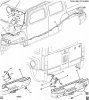
If its an aftermarket camera, it takes power from one of the backup lights via the black and red wires, and has a single cable to the monitor/head unit. That should be all you need. If your replacing the head, you're already accessing the back to plug into the rearview camera jack. The factory camera cable runs in the harness under the rig and enters the cabin through the firewall. Is your camera cable long enough to follow that route? Here's the factory parts diagram showing the route, hope it helps:

attachment.php
 

Attachments

  • 090715TN16-209.JPG
    090715TN16-209.JPG
    118.4 KB · Views: 6,223
H

H3Ray

Guest
IMO a H3 back up Cam is a nice luxury but not necessary unless you have small kids or drive around animals, kids, etc.
 

SuperBuickGuy

Well-Known Member
Messages
3,403
Location
Woodinville, WA
IMO a H3 back up Cam is a nice luxury but not necessary unless you have small kids or drive around animals, kids, etc.

I never would have bought it, but I really like it. Enough that my wife's JK has one and today illustrated (again) by the horns why she needs a rear camera - dog cage is in the view.
 

zackcrum

Well-Known Member
Messages
543
Location
Corinth MS
The girlfriend had a navigator with backup camera and sensors. I've replaced a tail light and lower bumper cover because "i thought I could go back a little farther" we just got her a new veloster and I heavily stressed that when it beeps to stop backing up. Blondes will never learn though.
 
S

SedonaBound

Guest
IMO a H3 back up Cam is a nice luxury but not necessary unless you have small kids or drive around animals, kids, etc.
Thats what I thought about sensors until I got a car with them. Now I consider them mandatory. Camera too...going to be required in all new cars in MY 2018.
 
Top